
Good helicopter tour website design answers a guest’s questions about the flight before they reach checkout. Give each flight its own page, with clear details and a booking button that works on a phone. Show the full cost and explain your policies before you ask anyone to pay.
Helicopter and air tour owners can use these checks in Hawaii or wherever they fly.
Why a helicopter tour page has to work harder
A helicopter flight is one of the bigger things a guest buys on a trip. They may only do it once, and many are a little nervous. You sell these flights every day. The person on your website may be deciding whether to get into a helicopter for the first time.
A guest might have three or four companies open on a phone in their Maui hotel room. They’re comparing routes and trying to fit a flight around the rest of their trip. A dinner reservation or a child’s nap still matters, even when the view looks good.
Then there are the questions they don’t want to ask out loud, especially about their weight or their seat. You can answer those at the counter, but by then they’ve paid and arrived with expectations. Your page gives you a chance to explain the flight while they’re still choosing it.
What a helicopter tour website should include: 12 things to check
1. A separate page for each flight
If you sell three flights, give each one its own page. Name it for where it goes and what guests will see.
Someone looking for a particular island or landmark should reach the flight that covers it, with its details together. On a page full of tours, it’s easy to lose track of which price goes with which route. A separate page gives the guest one flight to consider, without scrolling back to match up the details.
2. A route guests can follow
A simple map and a list of sights tell guests where their money will take them. List the places in the order they’ll see them, using the names your pilots use on the headset.
You know the difference between your routes. Someone comparing them from a hotel room needs that difference spelled out.
3. Flight time and time at the heliport
Guests need two times: how long they’ll fly and how long the whole visit takes. Both belong near the top.
A 45-minute flight might take two hours from check-in to the parking lot, once the briefing and weigh-in are included.
A guest shouldn’t have to find the arrival instructions and do the math to work out their afternoon. They need to know which departure leaves enough time for the rest of their plans.
4. The price they’ll actually pay
Show the price per seat and make the private flight price clear if you offer one. Say what’s included and explain any taxes or fees added at checkout.
You may have a fair reason for every charge. The guest still needs to understand why the amount changed between the page and the payment screen. Otherwise, they’re left to work it out just as they’re ready to book.
Let them check the total against their budget before filling out the booking form.
5. Your weight policy, in plain words
Weight limits are part of flying a helicopter safely, and they can be an awkward subject for guests. Your page needs your own policy, including what happens if someone is over the limit.
If that means buying a second seat, say so. If you weigh guests at check-in, explain that before they book.
Word it kindly, and leave no doubt about the limit. A person reading at home has time to understand the rule and what it means for their booking. They don’t have to learn it for the first time in front of the counter.
6. Your age policy and who can fly
State the age rules for that flight, along with other operator policies that affect who can book. If your policies cover pregnancy or recent surgery, those details belong here too.
Someone booking for a family needs to know whether the flight fits everyone in the party. A general mention of restrictions leaves them with another question.
Fear of heights deserves a plain answer too, if guests ask you about it.
7. How seats are assigned
Guests want a window, and a photo taken from one can leave them expecting that view from their own seat.
If seats are assigned for weight and balance, explain that in a sentence or two. Say who chooses the seats under your policy and what the guest can expect.
Put the seat policy beside the flight details so guests know whether they can choose that window seat.
8. Doors-on or doors-off, and what to bring
If you offer doors-off flights, explain how they differ from doors-on flights. The wind and the photos are part of that explanation, along with what guests can bring.
Your rules for phones and cameras belong with the flight they apply to. So do clothing instructions and anything guests need to leave behind.
Someone comparing the two flights should be able to understand those differences before choosing. By check-in, the conversation can be about the flight ahead, with the clothing and camera questions already answered.
9. What happens when weather cancels a flight
Guests know weather can cancel a flight. The unanswered question is what happens to their booking and their money.
Explain who makes the decision and when guests will hear from you. Then describe how rebooking or a refund works under your policy.
A line saying flights depend on weather doesn’t tell a guest what to expect after they’ve paid. Plain wording gives them something to refer to if the weather turns during their trip.
10. The right place to check in
The full check-in address belongs on the page, with parking details and how early guests should arrive. Add a map link that opens on a phone.
An airport or heliport name alone leaves too much for a visitor to work out on arrival. Your Google listing needs to point to the same check-in spot as the directions on your website.
You know which gate leads to your desk. A guest following a map needs that same destination, so they arrive where your team expects them.
11. Photos from the flight you’re selling
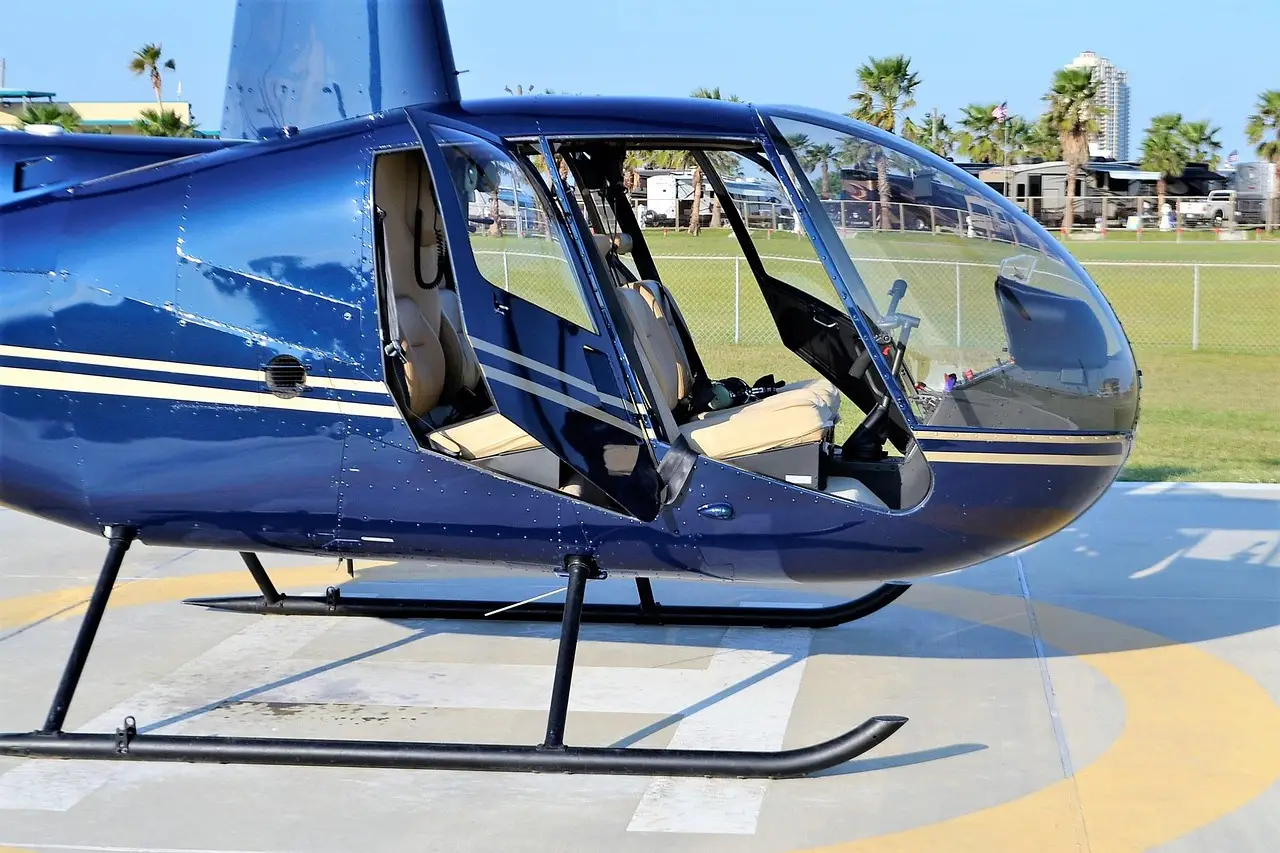
Use photos from your own aircraft and route, including the view from a guest’s seat. The helicopter on the pad and a pilot greeting guests help show the rest of the visit.
A distant view doesn’t tell someone much about the aircraft they’ll board.
Short video from a real flight can help too.
12. Reviews that belong to that flight
A review about the flight gives the next guest something specific to go on. It might name a pilot or describe a sight along the route.
Company reviews can sit alongside those accounts, as long as the company total is labeled clearly. That count shouldn’t look as though every review came from the flight on the page.
Show who flies the aircraft and what private guests can arrange
Let guests meet the pilots
Guests are trusting your pilots with their family. A name and photo give them someone to recognize before they reach the pad.
A short page or a section beside the flight details is enough. A line about where a pilot is from can sit beside how long they’ve flown these routes. What they still enjoy seeing adds something a guest can ask about when they meet.
It should sound like the introduction you’d give at check-in.
Give private flights their own page
Someone planning a proposal or anniversary needs different details from a guest buying a seat on a shared departure. A private flight page gives that conversation somewhere to start.
The basics are how many guests fit, what you can arrange, and how far ahead to book. A price or starting price helps the person planning it work out whether to call.
The occasion might also be a family trip with a parent who can’t hike. A simple form or phone number leaves room to discuss the details of that particular outing.
What guests ask, and where the page should answer it
These are the questions the flight page needs to carry, even when you aren’t there to talk someone through it.
| Guest question | Answer on the page |
|---|---|
| Where do we fly? | Route map and sights |
| How long does it take? | Flight and total time |
| What’s the full price? | Seat price and fees |
| Can I fly? | Weight and age policies |
| Do I get a window? | Seat assignment policy |
| What if weather stops us? | Refunds and rebooking |
| Where do I go? | Check-in map and parking |
| What’s the flight like? | Real photos and reviews |
Make the booking work on a phone
A booking button belongs near the top of the page and again after the details. A guest who has finished reading shouldn’t have to scroll all the way back to find it.
Once tapped, the checkout should look like it belongs to your company and show the same flight name and price. Aim for someone who’s ready to finish in about a minute.
Hotel Wi-Fi or a weak signal is worth testing. Heavy video that won’t load can keep a guest from reaching the information underneath it.
Clear flight details give search tools something to read
Flight pages give Google and AI tools details they can use in answers.
On October 13, 2026, we asked ChatGPT for the best helicopter tour in Maui. The answer described specific flights and one company’s published starting price.
That was one question and one answer. It doesn’t show what another guest will get. The Maui helicopter page covers the test and what it can and can’t show.
One owner’s lesson: speed
Drew Sainte Marie ran his own tour boat company before he started Tour Boss. We asked him which change to his own tour website brought in the most bookings.
“The change was speed. I didn’t realize how important a fast website is. People who don’t know much about websites say, who cares if a website is fast? For me it wasn’t so much about the human experience. It’s about Google and AI reading millions of websites to find the right answer for someone. The faster they can get to a website, the faster they can read it and see if it’s actually the right answer. So if you and your competitor have the same answers, but Google gets to their website faster, that’s the one it’s going to show your potential clients. When I built my website, I didn’t realize I should go for speed: fast, lightweight, easy to read. That’s something I missed for way too long.”
Drew Sainte Marie, founder of Tour Boss
Google puts it more carefully. Its page experience guide says it shows “the most relevant content, even if the page experience is sub-par.” It also says that for many searches there’s plenty of helpful content to choose from, and that’s where a great page experience can help. Its Core Web Vitals, which measure how fast a page loads and responds, are used by its ranking systems. Its crawl guide adds that when a site keeps responding quickly, Google can use more connections to crawl it. We checked both on November 10, 2026.
So the right answer comes first, and speed helps it get read. Helicopter sites lean on big photos and video, and those files are what slow a page down. Three checks for your best-selling flight page:
- Run it through Google’s PageSpeed Insights and look at the mobile result.
- Keep the flight’s facts in plain text on the page: the route, the times, the price, the limits and the check-in spot. Don’t leave them only inside a video or an image, where Google and AI tools may not read them.
- Make sure a large video doesn’t have to load before a guest can see the price and the booking button.
Who should build your helicopter tour website?
A freelancer or a small agency can get helicopter tour website design right. You need someone who can turn your flight details into a page guests can use.
For an owner looking for Maui helicopter web design, a working booking on a phone is a useful hiring test. The same test applies elsewhere. Before the final invoice, the builder should be able to show each flight’s details through to checkout.
Our travel website design page covers the wider checklist. Good helicopter tour web design starts with the questions your guests need answered.
For the broader hiring decision, there’s also our post on whether to hire a freelancer or an agency for helicopter tour marketing.
What to fix this week
Start with your best-selling flight and mark each of the 12 items yes or no. Pick the three gaps that would have stopped you from booking as a guest.
The full visit time, weight policy and check-in spot are useful places to look. Then time the booking on your phone. If it takes more than a couple of minutes, the place you slowed down is the next job.
Our helicopter tour page covers how guests find flights like yours. Once they arrive on your site, the flight page should leave them knowing what they’ve booked and where to go.