
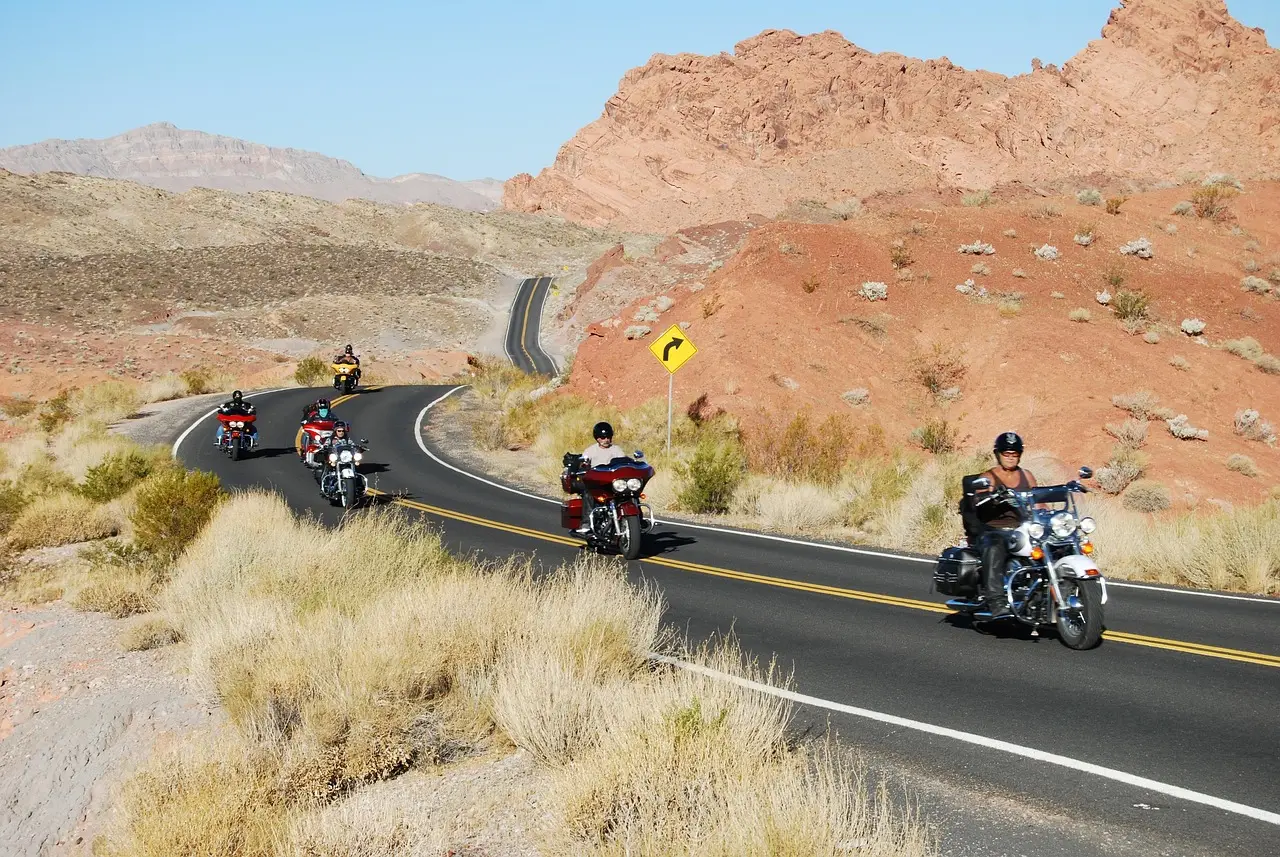
Small guided motorcycle tour companies get booked when riders can find the ride they want and see exactly what they’re paying for. Show the daily miles and the bike, then make booking work on a phone.
These motorcycle tour tips for small business work best one departure at a time. Pick a ride you want to fill and work through these twelve checks. You know the roads already. The job is to give someone who has never ridden with you enough detail to choose a date.
Google guidance cited below was checked on November 13, 2026.
1. Put the route riders want in the tour name
“The Explorer Package” could be almost anything. “3-day guided motorcycle tour through southern Utah” gives someone a trip to consider.
If Highway 12 is part of your route, name it on the page. Someone looking for that ride shouldn’t have to open the itinerary to discover you run it.
Google advises descriptive, concise page titles, with distinct text for each page (Google Search Central). Give each tour its own title so a rider can tell your trips apart in search.
Keep the name you like. Put it below the plain description, where it won’t hide the route or the length.
2. Show what each day’s miles feel like
“Scenic riding” doesn’t tell someone much about the day ahead.
Give each day a line with mileage and expected hours in the saddle. Then describe the road. Are they riding twisty two-lane roads, covering highway miles or taking a short dirt stretch?
If you plan a 220-mile day with a long highway leg, say that. That’s your itinerary choice. Other tours run shorter days.
Don’t bury the hardest day halfway down a long paragraph. Put it where riders can compare it with their own experience.
That gives them something useful to ask about: “I’m comfortable with the miles. How much of that day is tight corners?”
3. Put the bike beside the price
A rider shouldn’t reach the payment screen before finding out which bike they’re booking.
Name the models and show the actual bikes. Include seat height if you have it, and explain how you handle fit or a requested swap.
Then spell out what the price covers. Does it include fuel? Which meals are covered? Say how hotels and luggage transport work, if you offer them.
Put anything extra beside that list, including dinners or a damage deposit.
If fuel costs extra, say so beside the price. That saves the rider an email and saves you answering it.
4. Answer the passenger question before it reaches your inbox
“Can my partner come on the back?”
Put the answer on the tour page, along with the passenger price. Say whether a couple can share a bike. Don’t make someone start a booking just to find out if the trip works for both of them.
Be just as clear about riding experience. Does this tour suit a first-timer on easy roads? Or should riders already be comfortable through the twisties?
Describe the steep, tight day plainly. Let riders ask about it before they pay.
Questions about licences, insurance and gear rules belong with your insurer, your lawyer or the local authority. Check with them before you write those lines on the page.
5. Book your own tour on a phone
Take your phone off the shop’s wifi and open the page as a new customer would.
Can you find the next date? Is the deposit clear before checkout? Try choosing a bike and adding a passenger, if those options apply.
Follow the booking through the payment step. Watch for a form that drops your choices or sends you back to the start. Count the taps, but pay more attention to anything that makes you stop and think.
When you’re working out how to get more tour bookings, start with the step you stumbled over. Fix it before paying to send more riders there.
Google also lets businesses add a booking link to their listing (Google’s booking link steps). Use the link that takes riders to your booking page.
6. Check your business pin and make the meeting spot clear
Check where your Google listing sends someone. Then check where your ride confirmation sends them.
Google asks for a precise, accurate business address or service area. If it can’t locate your business address, you can place the pin directly on the map (Google Business Profile guidelines).
That’s for your business location. Don’t assume every hotel or parking lot you meet at belongs on your listing.
Give riders the meeting spot pin in their ride details. Add a plain line about where to park a trailer.
For a service-area business, Google’s guidelines cover hiding the address and setting a service area. They also call for few, specific categories that describe the business. Categories aren’t a place to pile in keywords.
Your map pin and meeting details are part of local SEO for adventure brands, and riders count on them the morning of the ride.
7. Show the roads and bikes they’ll actually ride
Use photos from your own route. Show the bikes lined up at the start and the road on the hardest day.
A stock cruiser under a sunset can’t answer the questions someone has about your trip. Your photos can help them judge what they’re signing up for.
For your Google listing, use clear, well-lit photos without heavy filters. Google accepts JPG or PNG files between 10 KB and 5 MB, and recommends 720 by 720 pixels (Google’s photo guidance).
On the tour page, put a photo beside each day’s description where you have one. Use a plain caption, such as “Day two, Highway 12 above the canyon,” if that’s what it shows.
8. Ask every rider for a review after the ride
Make the review request part of finishing the tour.
Hand each rider a card with a QR code at the end of the last day. Send the review link that evening too. Google allows businesses to ask customers for reviews through a link or QR code (Google Business Profile Help).
Ask everyone, and leave the words to them. Don’t offer a discount or a free item. Google prohibits incentives in exchange for reviews.
Reply to the reviews you receive. Your business must be verified first, and Google checks replies against its policies before they appear (Google’s reply guidance).
Keep the reply specific to that ride. “Glad you enjoyed the canyon loop” says more than the same thank-you pasted under every review.
9. Explain what happens when weather changes the ride
A rider has picked a date and is ready to pay. Then they wonder what happens to the deposit if the weather turns.
Answer that beside the booking details.
Say who decides to cancel or change the route, and when you’ll contact riders. Explain what happens to their money. Put the same terms in the confirmation email.
For example, you might choose: “If we cancel for weather, you can pick a new date or get a full refund.”
That’s a policy choice for your business. Use wording that matches what you will actually do.
Send anything legal to your lawyer before you publish it. Once the terms are settled, make them easy to find.
10. Price the choices riders ask about
Some riders want to bring their own bike. Others need a rental and would like an extra hotel night before departure.
If you can offer those choices, put them on the page.
For a bring-your-own-bike option, explain what you need to see, such as a service check. Show the price for that option so the rider doesn’t have to work it out.
Give each add-on a price beside its name. A luggage drop or an extra night should be a clear choice, with the total updated as the rider selects it.
Keep the passenger option clear too. Someone booking for a couple needs to know what both people will pay.
11. Give hotel desks and dealers a tour they can recommend
Think about the rider who hears about you at a hotel desk. What does the person behind the counter have to hand over?
Leave a short card with a clear tour name, its length and a link to that tour. Visit hotels near your start point and local dealers. Tell them which departure you’re trying to fill.
Give them something more useful than a business card with no ride details.
Ask about a link from their site to your tour page, and offer to return the favor where it makes sense.
When a rider says the hotel sent them, thank the person who made the introduction. Keep that contact supplied with the tour details you want them to share.
12. Make it easy for marketplace riders to return direct
Keep marketplace listings that bring you riders. They may charge a listing fee, take a commission, or both. Judge them by what they bring your business.
Then make sure those riders know where to find you for their next trip.
Put your website in the welcome packet. You might offer repeat riders first pick of dates or a small perk, within the marketplace’s rules. Choose something you can deliver.
After the ride, email them about the next tour you’d like to fill.
Next time they want a ride, make it easy to book it with you. Send them to that tour on your site, where they can pick a date.
The twelve at a glance
Use this as a check beside the tour page you’re working on.
| Tip | Where it goes | Rider’s question |
|---|---|---|
| Tour name | Title and heading | Which route? |
| Daily miles | Itinerary | Can I ride this? |
| Bike and price | Tour page | What do I get? |
| Rider fit | Tour FAQ | Can my partner come? |
| Phone booking | Checkout | Can I pay here? |
| Location | Listing and ride details | Where do I go? |
| Real photos | Page and listing | What’s it like? |
| Reviews | Google listing | Who’s ridden it? |
| Weather terms | Page and email | What if it’s cancelled? |
| Extras | Booking form | What’s the total? |
| Local referrals | Hotel and dealer cards | Which tour is it? |
| Return bookings | Welcome packet | Where do I rebook? |
Guests told Drew they found him through ChatGPT
Drew Sainte Marie ran his own tour boat company before he started Tour Boss. We asked him which answer surprised him most once he started asking guests how they found him, and what he did about it.
“The answer that surprised me the most was ChatGPT. When it first became a thing, guests started telling me that’s how they found us, and I was extremely surprised. I didn’t see that coming at all. So I started studying it. I wanted to understand why ChatGPT was suggesting my company and not somebody else’s, and once I had an idea, I leaned into it. I did more of whatever seemed to be working. These days, setting yourself up so ChatGPT, Claude and Perplexity can recommend you is the only way to do it, in my opinion. If those tools can’t tell who you are and what you offer, they can’t suggest you, and that guest books with somebody else. You won’t even know you lost them unless you ask.”
Drew Sainte Marie, founder of Tour Boss
When you add “How did you find us?” to your booking form, give riders “ChatGPT or another AI app” as a choice, next to Google and the marketplaces. If riders start picking it, check that each tour page says the route, the daily miles, the bike and the price in plain words, so an AI tool has clear facts to repeat when someone asks about you.
Ask every new rider how they found you
Add “How did you find us?” to the booking form. Keep the list short, with room to write an answer.
Include hotel desks and dealers alongside Google, marketplaces and friends. Leave space for the hotel or dealer’s name.
You could give it a month, then read the answers beside the bookings. Treat them as a starting point, especially if you’ve only had a few riders.
If hotel referrals keep coming up, check that those desks have current tour cards. If marketplace riders aren’t returning, look again at the next ride you’re offering them.
Working out how to improve a tour operator business? Ask the people who paid. Use their answers to choose your next job.
This week, fix one tour you want to fill
Pick the departure with empty places. Work on that page before trying to change the whole site.
- Put the route and trip length in the name and page title.
- Add daily miles and road types. Show the bike beside what the price covers.
- Try the booking on your phone and fix the step that slows you down.
- Check the business pin and meeting details. Add the booking link and real photos.
- Send the last group a review link. Add the referral question to your booking form.
The adventure tourism page covers how riders find companies like yours. The Southern Utah page looks at ride and adventure companies in red rock country. For a wider look at how to get more tour reservations, read the guide to getting more bookings.
Google’s advice is to create content for people first (Google Search Central). Start with the questions riders ask you at the shop. Get those answers onto the page before the next person has to call.