
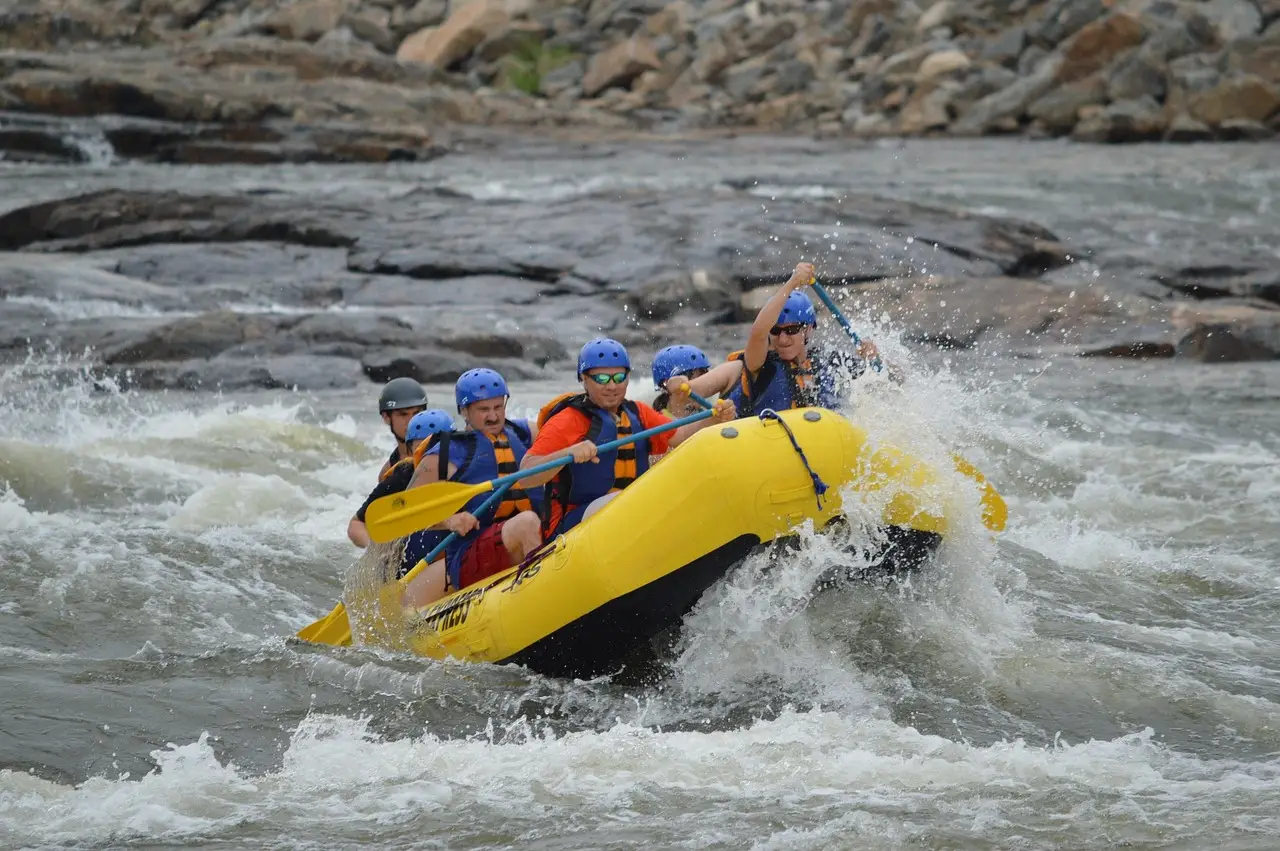
Use your rafting company marketing to sell weekdays, family half-days and trips on early and late-season water. Explain those trips to guests who need convincing, and invite last summer’s guests back for another run.
Start with a departure you’d like to see booked. Think about what you’d tell that guest at the put-in. Put that explanation on the trip page.
Linked pages checked November 19, 2026.
Find the trip that needs a better explanation
Pull up a quiet week. Is the half-day short of families? Has last year’s company group called? Decide which trip needs more bookings.
Use the Arkansas as an example. CPW’s river section descriptions put Browns Canyon at Class III to IV and the quiet water below Cañon City at Class I to II. Compare how you’d describe those trips to a parent on the phone.
Use the rough effort estimates in the table near the end to plan staff time.
Ten ways to sell the river days you have room for
1. Explain the half-day and full-day on their own pages
Open your half-day page beside the full-day page. Cover the photos for a moment. Can you tell what changes besides the name?
Each trip needs its own page, with the river section and class near the top. The trip length belongs there too. Separate check-in from the put-in time, and describe the bus ride to the river.
The page should follow the day in the order guests take it. For a half-day, say when they’re back at the outpost. For the full-day, explain what the extra time buys them on your actual trip.
Keep the description close to how you sell it over the phone. If one paragraph would fit on both pages, rewrite it to say what’s different about each trip.
2. Make the Google listing match arrival at the outpost
Check the address against the place guests actually check in. Look at the listing while you stand where they park. Does it send them to the right door?
Google’s local ranking guidance names relevance, distance and popularity as the main factors. It also says complete, accurate profiles are more likely to appear.
The listed hours should match the operation. Don’t leave guests to guess whether an opening time means check-in or someone answering the phone.
Its settings support special and additional hours for temporary changes and features with different hours. Its business guidelines cover seasonal businesses and temporary closure in the off-season. Set your hours and seasonal closure status to match the dates you operate.
Look at the listing again as opening and closing dates approach.
3. Answer the family’s question before they reach check-in
Use the questions parents ask near the splash jackets to write the family page. Which half-day would you discuss with a parent who’s unsure about the river?
Explain the trip without calling everything family-friendly. Describe the section you use and who decides if that trip suits the conditions that day. Say how you contact guests if their plans need to change.
The National Park Service publishes the American Whitewater class scale, from Class I Easy through Class V Expert. Link it beside your trip’s class. Add your own plain description of the run.
Don’t promise conditions. Keep ages, weight limits and safety rules with your insurer, CPW and your lawyer. Use the wording they approve.
Your head guide should read the page before it goes up. Ask what they’d still need to explain to that family at the put-in.
4. Put your trip advice beside the water-level link
A water-levels page gives your desk somewhere to send guests who ask about an early or late-season trip.
CPW’s waterflow and advisory page posts 7 a.m. gauge readings in cubic feet per second. It also lists high water advisories by section. Send guests there for the readings instead of pasting a number into your copy that you’ll forget to update.
On your page, explain what the current conditions mean for the trips you’re offering. Describe what a guest can expect to feel on that run. If you’d discuss a different section with a nervous family, say so.
The date on the page should show when you last checked the advice. Revisit the wording when your recommendation changes. Have the desk use the same explanation on the phone.
5. Give the group booker something they can send around
Choose a weekday departure you’d like a group to fill. Then write for the person who has to get everyone onto the bus.
Your group terms belong on one page the booker can forward. State any minimum size and how far ahead you want a call. Tell the booker how payment works for a group reservation.
Make the half-day versus full-day choice easy to pass along. Include the check-in details and the time the group should expect to be back.
Send that page to last year’s group bookers. Follow up with a local company or camp director whose group could suit the trip.
Start the first call with the trip and the weekday you have room for.
6. Help the campground desk recommend the right half-day
Take your trip page to a hotel or campground partner. Ask which departure they’d suggest to a family.
Listen to the explanation. If they can’t tell the half-day from the full-day, revise the card you’re leaving behind.
The card needs the pickup or check-in point, with a phone number someone answers. Link to the trip page so the desk doesn’t have to explain the whole river day.
Be clear about where guests meet you. If they drive to the outpost before boarding your bus, show that sequence.
Your partner terms need to be settled before the first referral. If you offer a commission or a partner rate, write it down and use it consistently.
7. Let the photo email lead to another river day
Draft the next-morning email while the trip is still fresh in your mind. Include the group photos and a thank-you that names the guest’s guide correctly.
Then suggest a return trip that makes sense. Tell half-day guests what they’d get from the full day. For friends who rafted together, offer a trip they could bring another group back for.
The link should open that trip’s page, so the guest can pick up where the email left off.
If the email suggests extras, stick to the ones you sell. The rafting trip add-ons post covers what to offer before and after the river.
Read the email with the day’s booking details beside it. Make sure the guide’s name and the photo link are right before it goes out.
8. Make the trip pages useful in Google’s AI answers
Google’s AI search guidance says existing SEO practices still apply to AI Overviews and AI Mode. It lists no extra requirements or special optimizations for appearing there. Traffic from those features appears in Search Console’s Performance report under Web search. For a fuller checklist, see GEO for tour operators.
For your next edit, read the family half-day page without the photos. Does it name the river section? Can a reader tell how long the day takes and where they meet you?
Put those answers in the page text. Make sure those answers match what your desk tells callers. If your advice changes with the water, make the page reflect that.
9. Photograph the crew doing the parts guests ask about
Build a photo list from the questions at check-in. Start with a guide beside the splash jackets. Get the bus at the outpost and a guide with guests at the put-in.
Use those pictures beside the part of the trip they explain. Get as many of the crew on camera as you can, so guests see a whole team.
Google’s photo and video guidance says images help complete a profile and appear after verification. It also recommends an exterior photo so customers can recognize the business. Include the sign and check-in door in your shoot.
You can use Google profile posts for announcements and event details, with text, photos or video. Pair a current trip photo with a weekday departure that has room.
10. Ask for the review, then leave the words to the guest
Save the guide’s name for the thank-you email, where the guest already knows who took them down the river. Let guests decide what belongs in their review.
Google’s review request guidance allows a review link or QR code. Put it in the after-trip email or make it available for the bus ride back. Its guidance says honest, balanced reviews help customers decide, and a constructive reply to a bad review can show care.
Keep the invitation open to everyone who took the trip.
Google’s review content policy bars incentives and selectively asking only happy guests. It also says not to ask for specific content. Drop any request to mention a guide or river section.
Reply to what the guest actually wrote. If they mention the bus ride or choosing the half-day, address that detail. Don’t turn every reply into another sales paragraph.
Choose the work that fits the empty departure
| Idea | Effort | Booking need |
|---|---|---|
| 1. Separate trip pages | Writing time | Weekday, family |
| 2. Accurate Google listing | An afternoon | Season edges |
| 3. Family page | Writing, guide review | Family |
| 4. Water-levels page | A day, then updates | Season edges |
| 5. Group bookers | Season of follow-ups | Weekday |
| 6. Local partners | Printing, visits | Weekday, family |
| 7. After-trip email | Draft, check details | Repeat |
| 8. AI search details | Part of page work | All four |
| 9. Crew and trip photos | Phone or photographer | All four |
| 10. Review requests | Time each week | Family, repeat |
Put the whole crew on camera
Before Tour Boss, Drew Sainte Marie ran his own tour boat company. One question for him: should an owner put the crew front and center in marketing, knowing some won’t be back next season?
“I definitely put my crew front and center in all my marketing, but it’s a rotating wheel. I don’t make it obvious, and I don’t use their names, because I want it to feel like there are more of us than there actually are. That way, when people show up, they aren’t shocked if they don’t get the person from the video. Some of my crew are better with the actual customers, and others are better on camera, and there are reasons for both. It’s fun, too, because it shows tons of personalities and a real workplace. People want to feel like they’re part of it. So get as many people from your organization into your marketing videos as you can.”
Drew Sainte Marie, founder of Tour Boss
For a rafting outfitter, that means filming the whole roster across the season: the guide loading the bus, the one fitting splash jackets, the one reading the water at the put-in. If a guide doesn’t come back next summer, you still have photos and videos of the crew at work. Names can still go in the private thank-you email from idea 7, where the guest has already met their guide.
Fill your next quiet departure this week
If you’re not sure where to start, go in this order:
- Check your Google address and hours against the check-in desk and the season ahead.
- Draft the water-levels page. Have the desk and head guide agree on the trip advice.
- Rewrite the page for the departure you want to fill. Explain the bus ride and time back at the outpost.
- Prepare the next-morning email with the right guide’s name and a return trip worth a look.
- Contact last year’s group bookers about a weekday river day.
For more detail, use the adventure tour marketing page and the Colorado Springs page. The broader plan is in how to get more bookings for tours.